
VeeiQ PDF Scanner
A privacy-focused, local-first document scanner and PDF utility for Android. Scan physical documents, create and manage PDFs, and use powerful document tools directly on your device—without requiring an account or uploading your documents to VeeiQ servers.

App Summary
-
✔
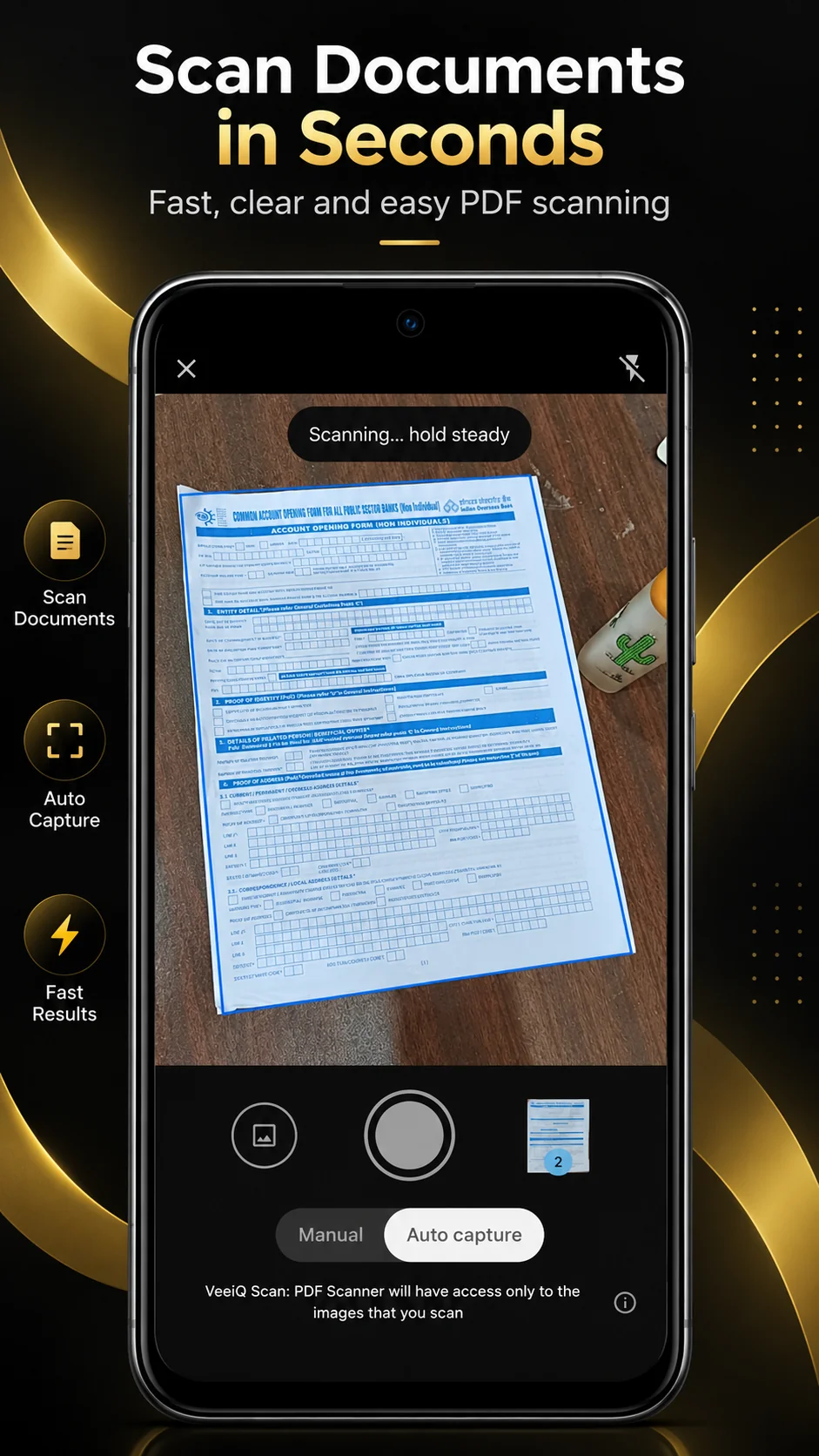
Scan Documents to PDF Scan single or multi-page documents up to 50 pages and turn them into digital PDFs instantly.
-
✔
OCR Text Scanner Extract and search text from your scanned documents with on-device OCR.
-
✔
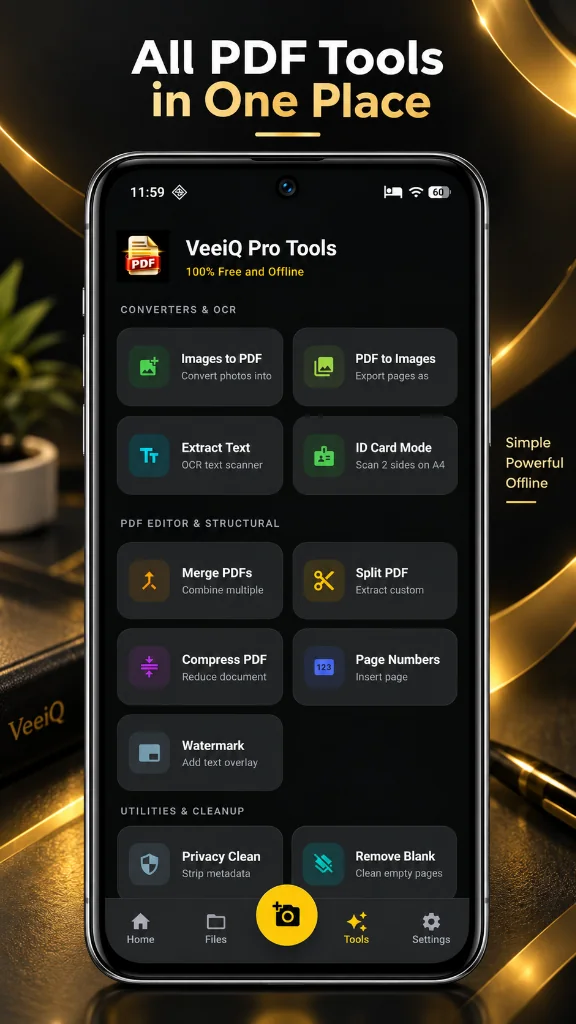
Powerful PDF Tools Merge, split, compress, watermark, remove blank pages, and convert between PDF and images all in one place.
-
🔒
App Privacy Policy Details about local document processing, permissions, and data handling.
Interface Preview
Designed for Devices

Key Points
Standard Features
📄 Scan Documents to PDF
Automatically capture document pages and create PDFs. Scan up to 50 pages in one scanning session.
🔍 OCR Text Scanner
Extract text from your scanned documents with on-device OCR. Search text from your scanned document library.
㊨ ID Card Scanner
Scan both sides of an ID card and keep them together in one document. Combine both sides into a single PDF-ready document.
✂️ Merge & Split PDFs
Combine multiple PDF files into one document, or extract selected pages to create smaller PDF documents.
🗜️ Compress PDF
Reduce PDF file size when you need a more convenient file to share or store on your device.
🖼️ Convert Images & PDFs
Export PDF pages as image files, or quickly turn photos and images into a single PDF document.
🔏 Watermark & Numbering
Add page numbers to your PDFs and apply custom text watermarks to protect your documents.
🗑️ Remove Blank Pages
Automatically find and remove unnecessary blank pages from your documents for a cleaner PDF.
💎 Privacy Clean
Remove selected PDF metadata for cleaner document sharing.
📚 Your Document Library
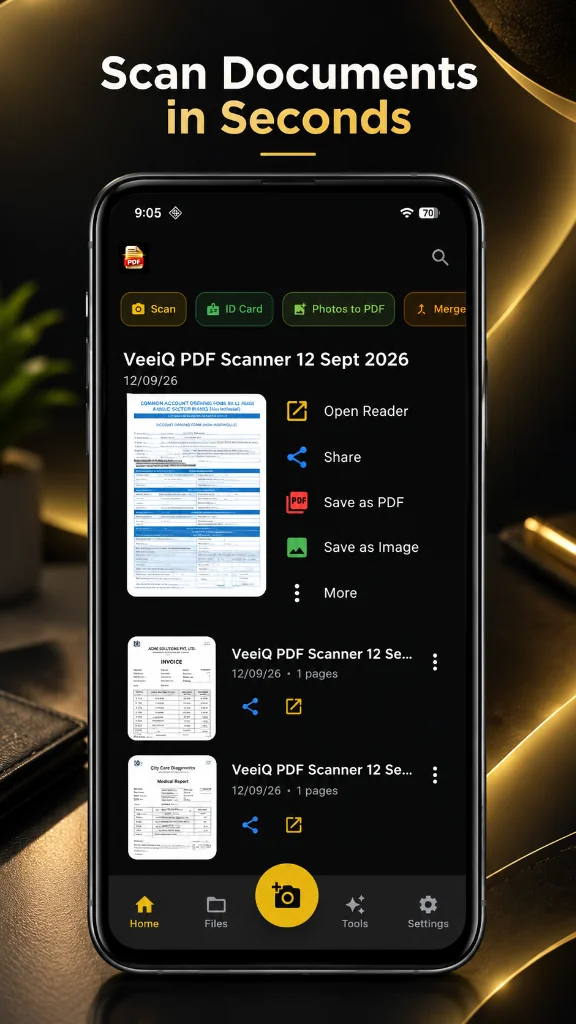
Keep your scanned paperwork together in one local document library. Search, preview, and organize.
🔒 Private Processing
Designed with a local-first approach. Core scanning and document-processing features work entirely on your device.
✨ Simple Scanning
VeeiQ PDF Scanner brings document scanning, OCR and essential PDF management together in one clean Android app.
FAQ
Frequently Asked Questions
Does VeeiQ PDF Scanner upload my documents to the cloud? +
No. VeeiQ PDF Scanner is designed for local-first document processing. Scanned images and PDF files are processed and stored on your device and are not uploaded to VeeiQ cloud servers.
Is biometric app lock secure? +
VeeiQ PDF Scanner uses Android's device authentication mechanisms for app protection. Biometric authentication is handled by the Android operating system rather than by VeeiQ storing your fingerprint or face data.
Does VeeiQ PDF Scanner contain ads? +
Yes. VeeiQ PDF Scanner is supported by advertising provided through Google Mobile Ads (AdMob). Ads may require an internet connection and Google may process certain device or advertising-related information according to its applicable policies.
Does VeeiQ PDF Scanner require an account? +
No. You can use VeeiQ PDF Scanner without creating a VeeiQ account or registering with an email address.
Does VeeiQ PDF Scanner collect my documents? +
No. VeeiQ PDF Scanner does not upload your scanned documents, PDF files or OCR content to VeeiQ servers.
Does VeeiQ PDF Scanner work without an internet connection? +
Core scanning and document-processing features are designed to work locally on your device. Internet access may be required for advertising and external links such as the Google Play Store, website or privacy policy.